Simplifying Content Discovery in ArcGIS®
Simplifying Content Discovery in ArcGIS®
Understand complex relationships quickly
Understand complex relationships quickly
Understand complex relationships quickly
Stop manually digging for dependencies; let Ripple uncover them automatically. Free up your time, money, and resources for what matters.
Stop manually digging for dependencies; let Ripple uncover them automatically. Free up your time, money, and resources for what matters.
Stop manually digging for dependencies; let Ripple uncover them automatically. Free up your time, money, and resources for what matters.
Why Use Ripple
Why Use Ripple
Why Use Ripple
Turn complexity into clarity
Turn complexity into clarity
Turn complexity into clarity
Stay in control of your ArcGIS ecosystem. Ripple cuts through content sprawl and connects the dots for you.
Stay in control of your ArcGIS ecosystem. Ripple cuts through content sprawl and connects the dots for you.
Stay in control of your ArcGIS ecosystem. Ripple cuts through content sprawl and connects the dots for you.

Save hours of manual effort
Quickly surface intricate connections across an ArcGIS implementation.

Make informed decisions faster
Gain instant project context with interactive and easy-to-read visual reports.

See immediate return on investment
Improve efficiency and reduce resource drain from the very first use.

Streamline daily workflows
Organise all content, groups and users across an organisation in one place.
Save hours of manual effort
Quickly surface intricate connections across an ArcGIS implementation.
Make informed decisions faster
Gain instant project context with interactive and easy-to-read visual reports.
See immediate return on investment
Improve efficiency and reduce resource drain from the very first use.
Streamline daily workflows
Organise all content, groups and users across an organisation in one place.
Save hours of manual effort
Quickly surface intricate connections across an ArcGIS implementation.
Make informed decisions faster
Gain instant project context with interactive and easy-to-read visual reports.
See immediate return on investment
Improve efficiency and reduce resource drain from the very first use.
Streamline daily workflows
Organise all content, groups and users across an organisation in one place.
The Problem
The Problem
The Problem
Discovering relationships within ArcGIS is difficult and time-consuming
Discovering relationships within ArcGIS is difficult and time-consuming
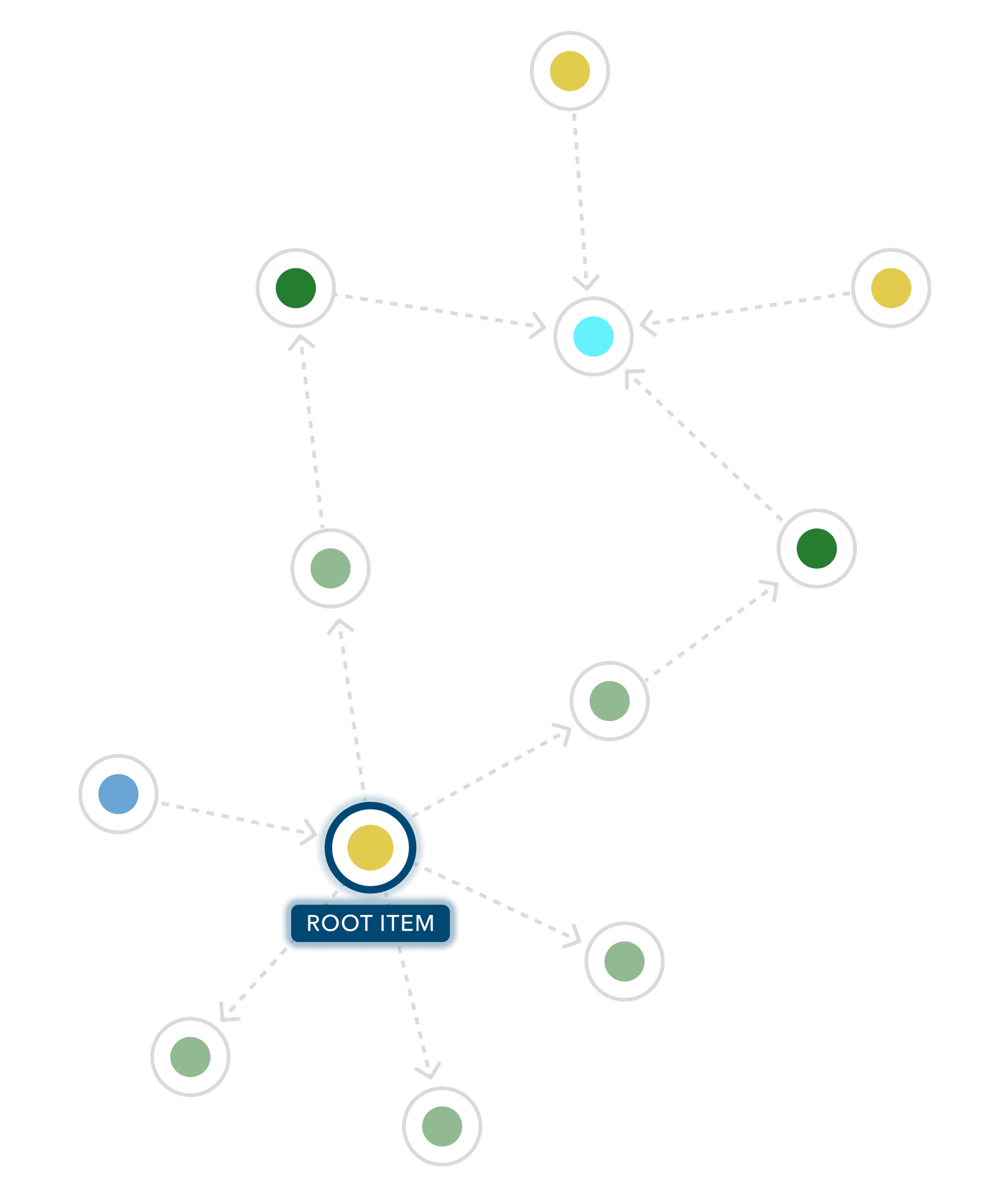
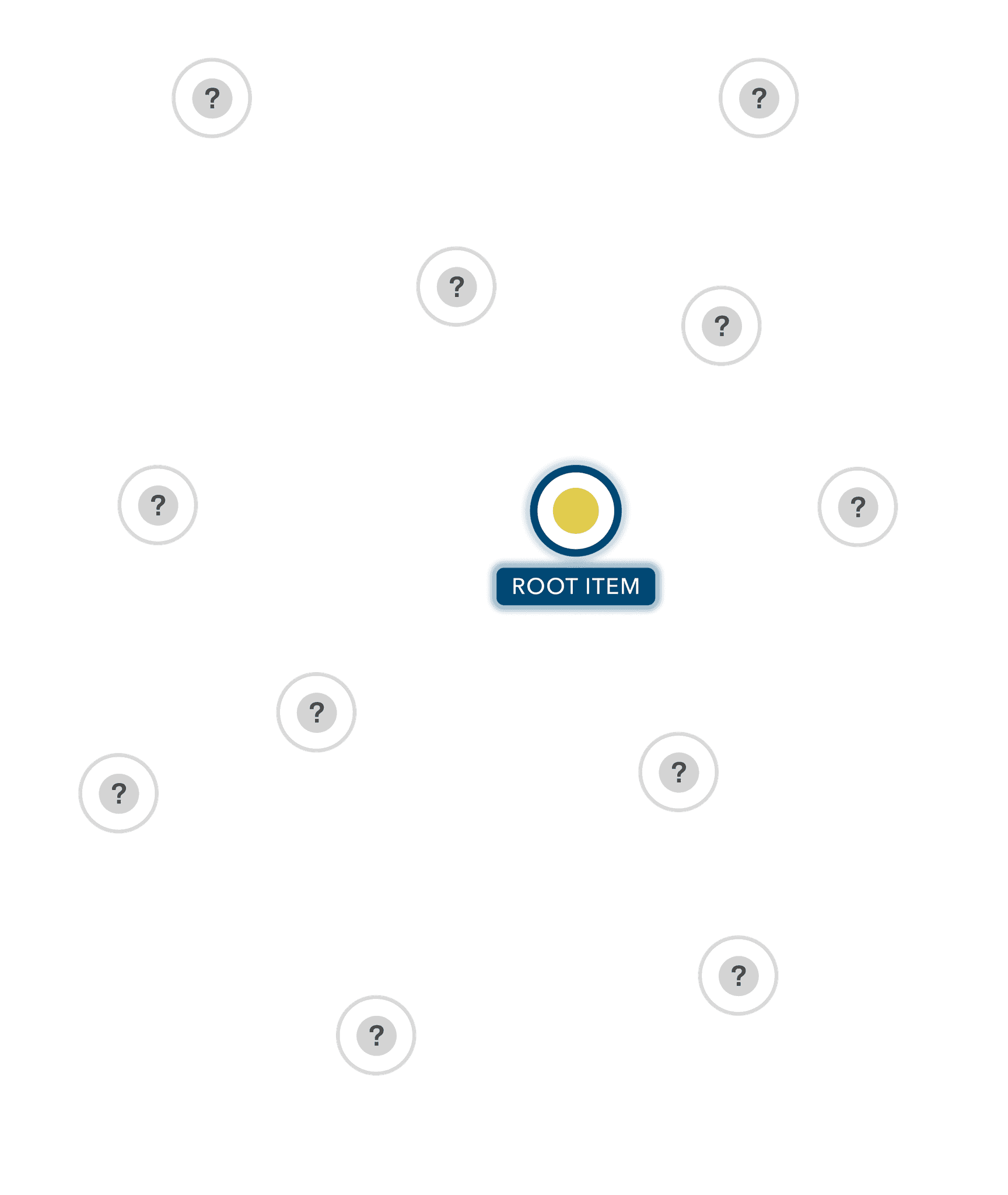
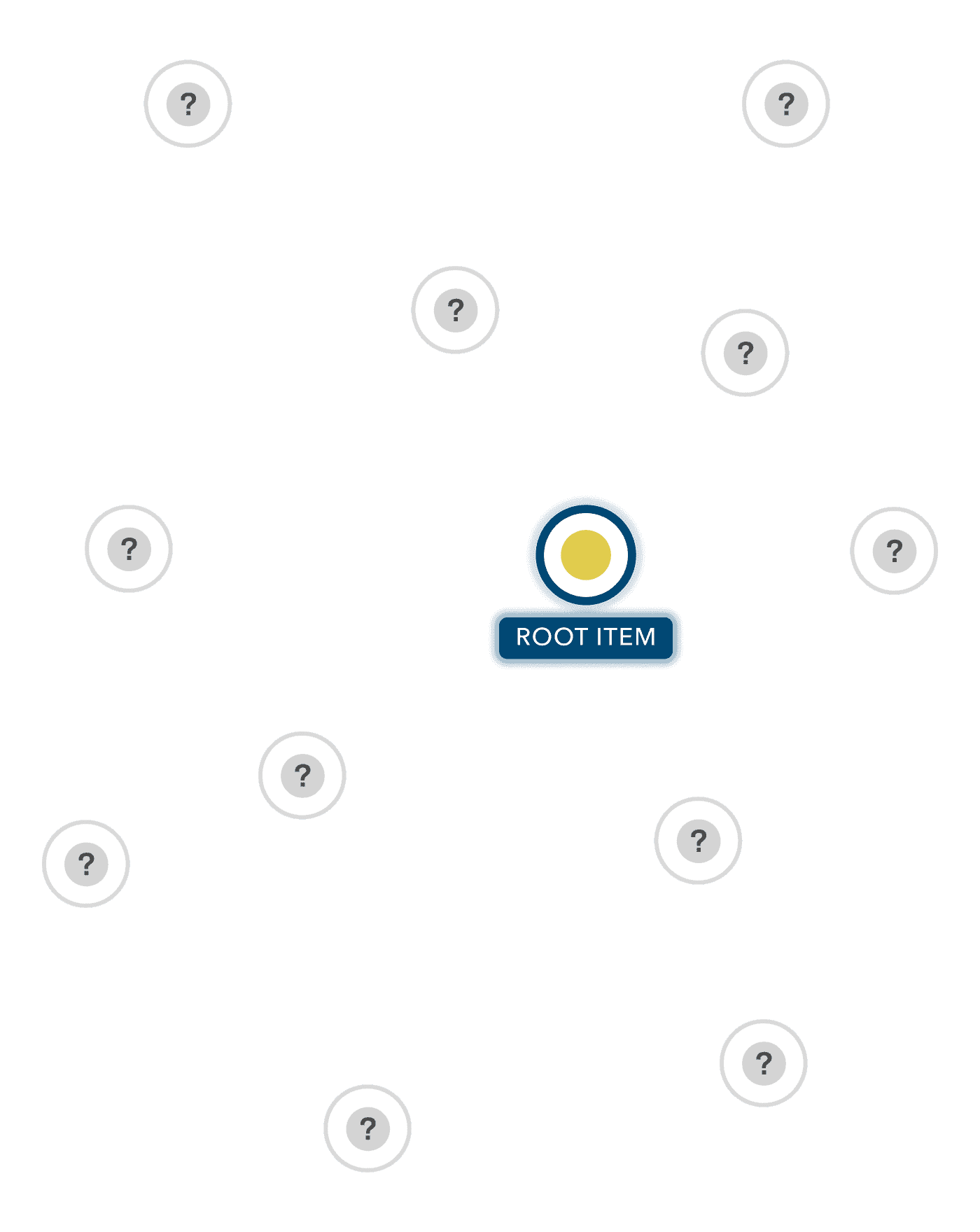
ArcGIS makes it easy to build and share content, but this ease of use can lead to content sprawl. As organisations grow, managing maps, layers, apps, services, users, and groups becomes exponentially more challenging.
Hidden dependencies mean even small changes can have wide-reaching impacts, while multiple environments (ArcGIS Online®, ArcGIS Enterprise®, and test/production instances) make it hard to track where content lives or how it overlaps.
ArcGIS makes it easy to build and share content, but this ease of use can lead to content sprawl. As organisations grow, managing maps, layers, apps, services, users, and groups becomes exponentially more challenging.
Hidden dependencies mean even small changes can have wide-reaching impacts, while multiple environments (ArcGIS Online®, ArcGIS Enterprise®, and test/production instances) make it hard to track where content lives or how it overlaps.
ArcGIS makes it easy to build and share content, but this ease of use can lead to content sprawl. As organisations grow, managing maps, layers, apps, services, users, and groups becomes exponentially more challenging.
Hidden dependencies mean even small changes can have wide-reaching impacts, while multiple environments (ArcGIS Online®, ArcGIS Enterprise®, and test/production instances) make it hard to track where content lives or how it overlaps.
The Solution
The Solution
The Solution
Ripple automates the discovery of complex relationships and unifies ArcGIS environments
Ripple automates the discovery of complex relationships and unifies ArcGIS environments
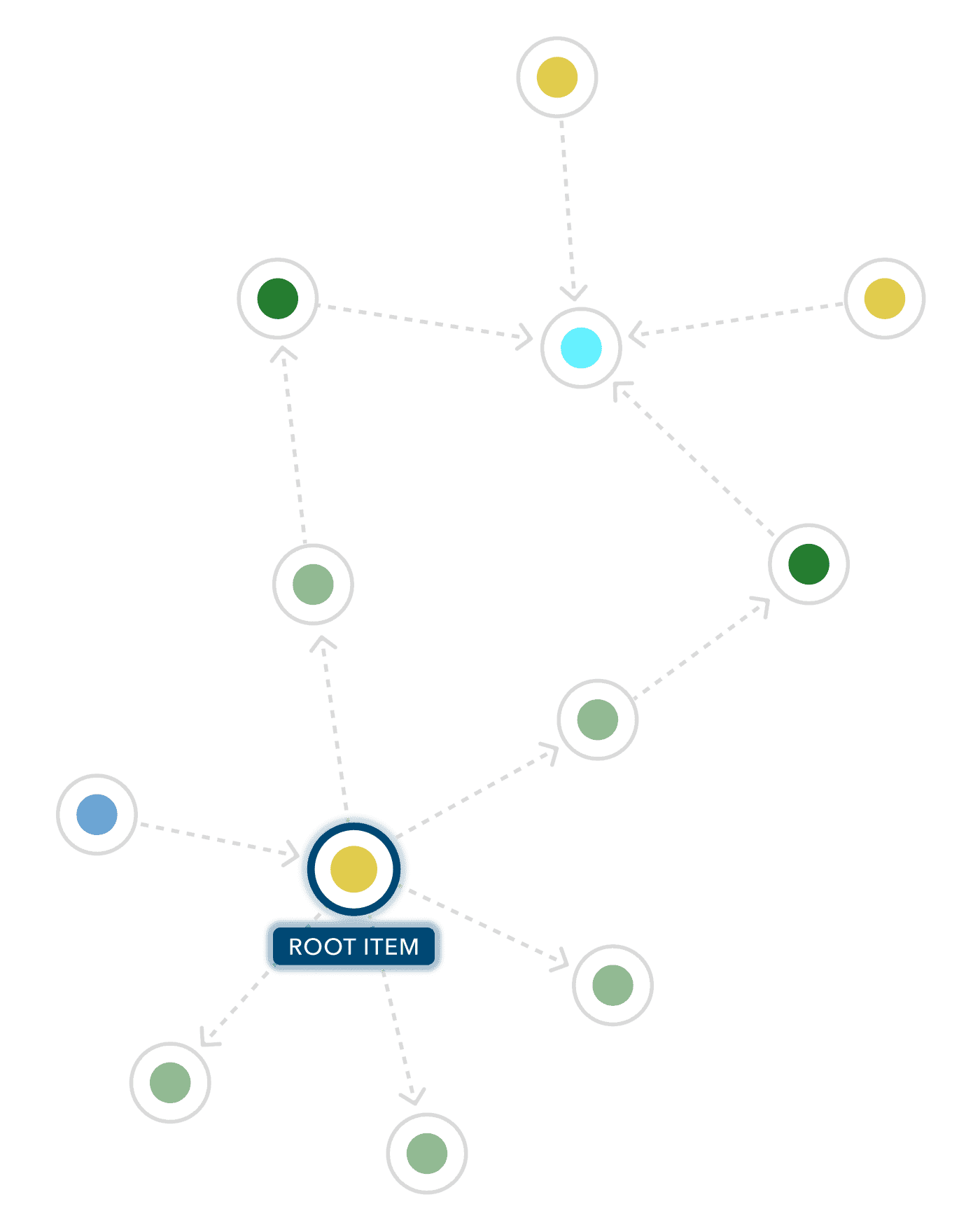
Ripple provides instant visual context on dependencies, enabling users to resolve issues faster and make decisions with confidence.
Powerful search, filter, and sorting tools cut through content clutter, while a unified, view-only environment streamlines administration and boosts efficiency across the organisation.
Ripple provides instant visual context on dependencies, enabling users to resolve issues faster and make decisions with confidence.
Powerful search, filter, and sorting tools cut through content clutter, while a unified, view-only environment streamlines administration and boosts efficiency across the organisation.
Ripple provides instant visual context on dependencies, enabling users to resolve issues faster and make decisions with confidence.
Powerful search, filter, and sorting tools cut through content clutter, while a unified, view-only environment streamlines administration and boosts efficiency across the organisation.
What Ripple Offers
What Ripple Offers
What Ripple Offers
Simplicity from the first use
Simplicity from the first use
Simplicity from the first use
From instant relationship reports to effortless deployment, Ripple makes managing ArcGIS a breeze.
From instant relationship reports to effortless deployment, Ripple makes managing ArcGIS a breeze.
From instant relationship reports to effortless deployment, Ripple makes managing ArcGIS a breeze.
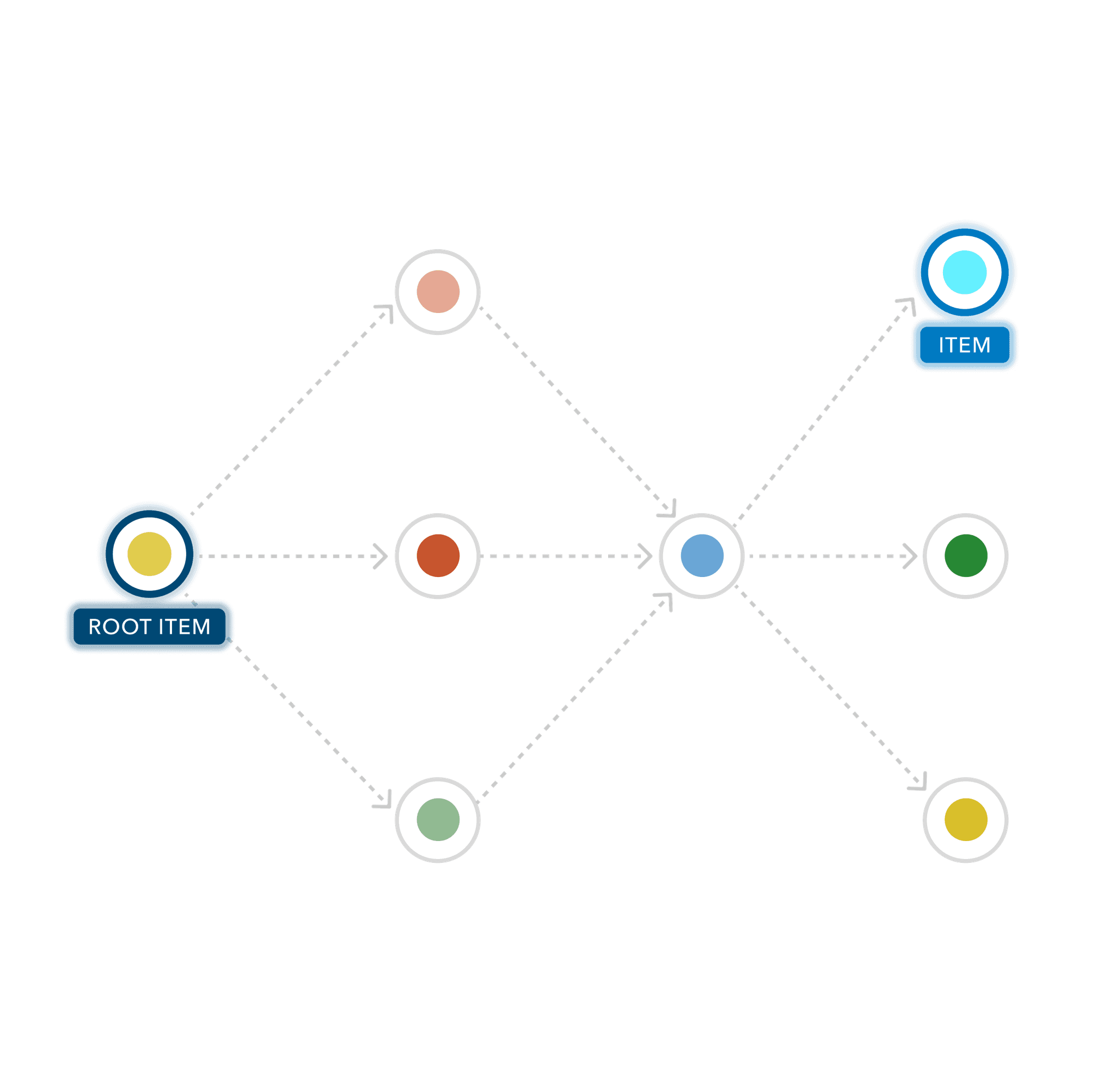
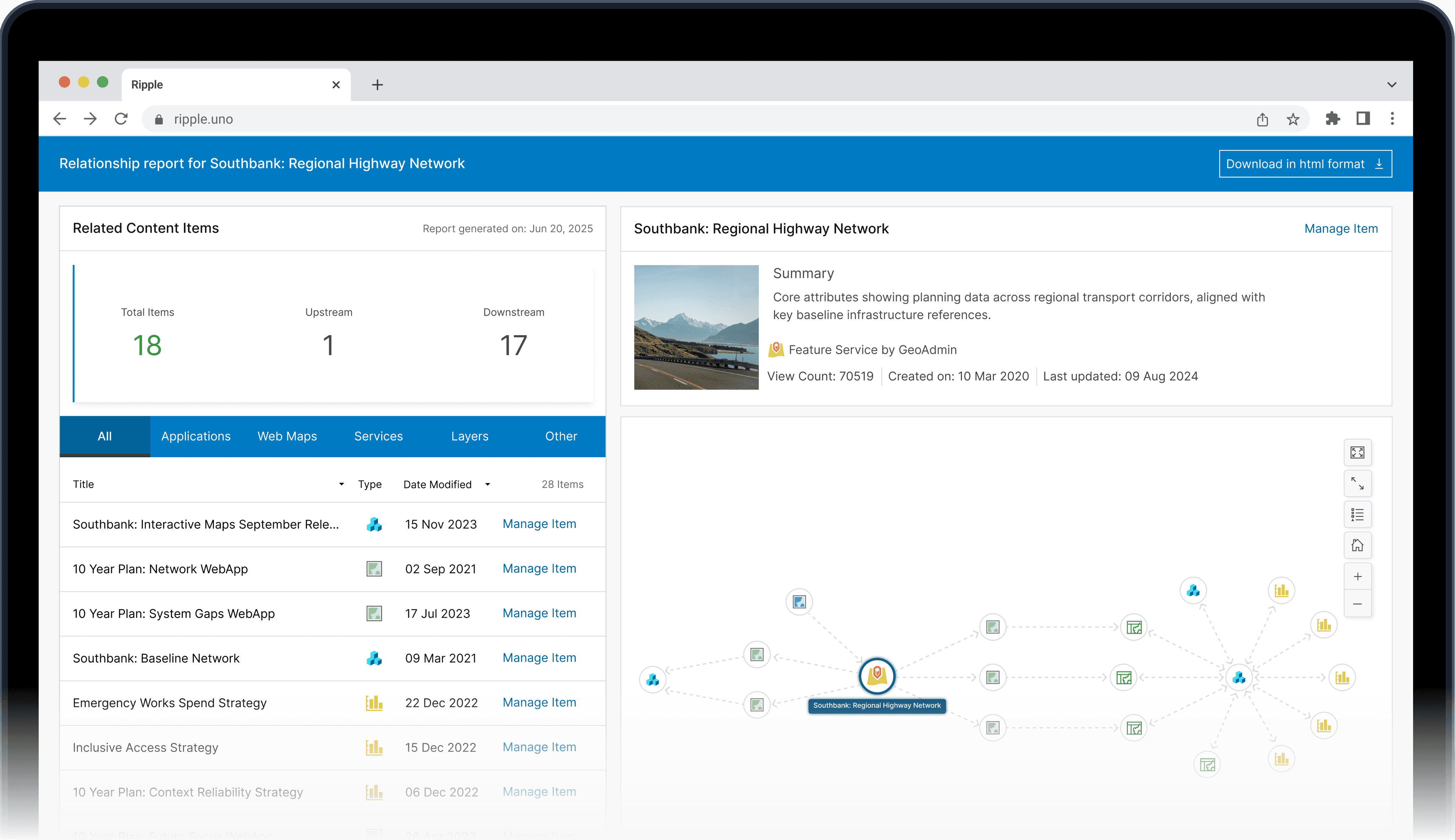
Relationship Reporting
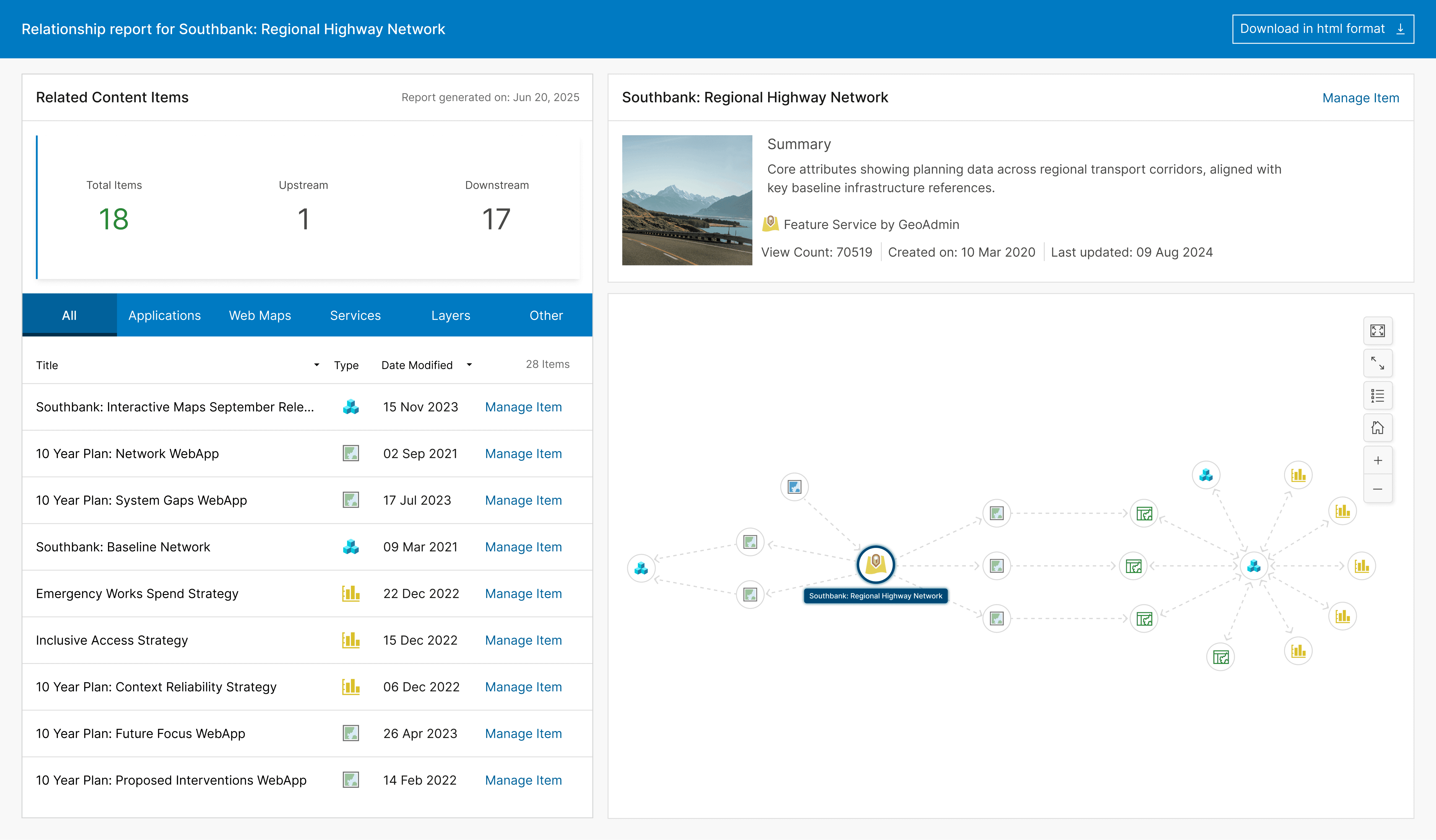
Understand how everything connects
Save time, money, and resources by instantly surfacing content relationships instead of digging for them manually.
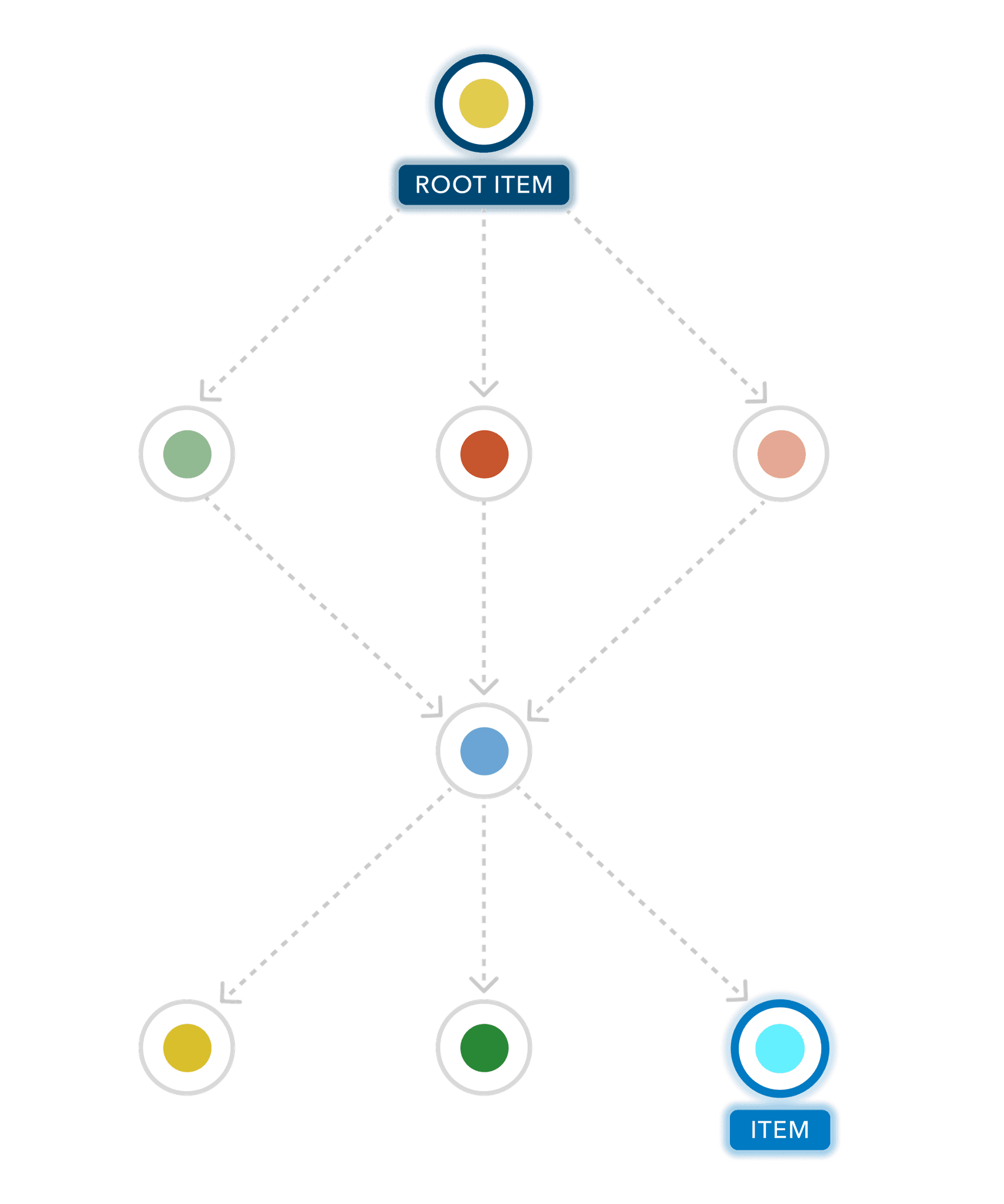
Ripple automates discovery across all ArcGIS environments, quickly revealing how maps, layers, apps, and services connect. Clear visual summaries and interactive reports make complex relationships easy to understand for the whole team, not just technical staff. Reports can be downloaded and shared, keeping everyone on the same page.
Relationship Reporting
Understand how everything connects
Save time, money, and resources by instantly surfacing content relationships instead of digging for them manually.
Ripple automates discovery across all ArcGIS environments, quickly revealing how maps, layers, apps, and services connect. Clear visual summaries and interactive reports make complex relationships easy to understand for the whole team, not just technical staff. Reports can be downloaded and shared, keeping everyone on the same page.
Relationship Reporting
Understand how everything connects
Save time, money, and resources by instantly surfacing content relationships instead of digging for them manually.
Ripple automates discovery across all ArcGIS environments, quickly revealing how maps, layers, apps, and services connect. Clear visual summaries and interactive reports make complex relationships easy to understand for the whole team, not just technical staff. Reports can be downloaded and shared, keeping everyone on the same page.
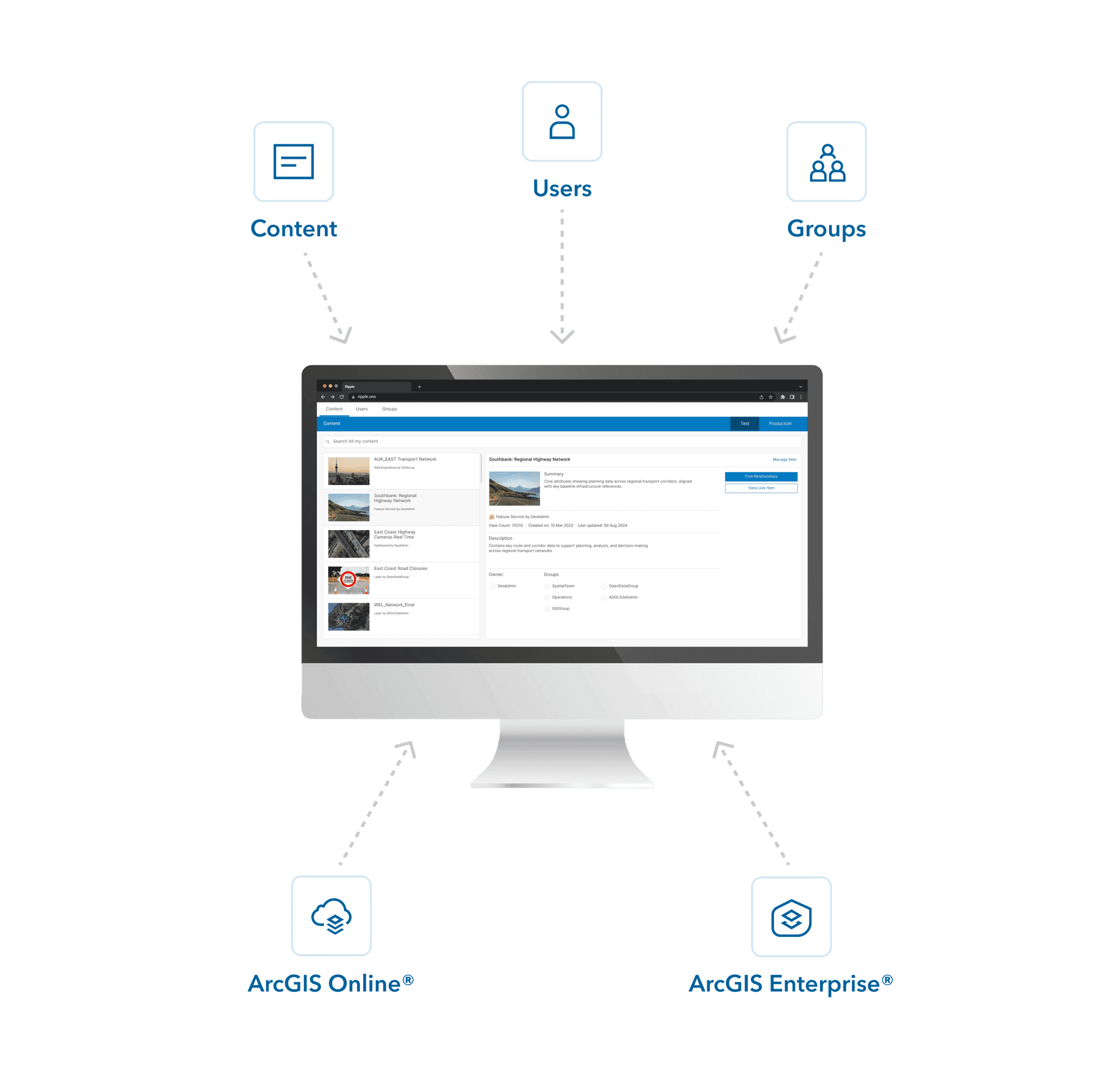
Centralised Dashboard
All your content, one view
Remove friction and smooth workflows by eliminating the need to constantly switch between windows and systems to piece together information.
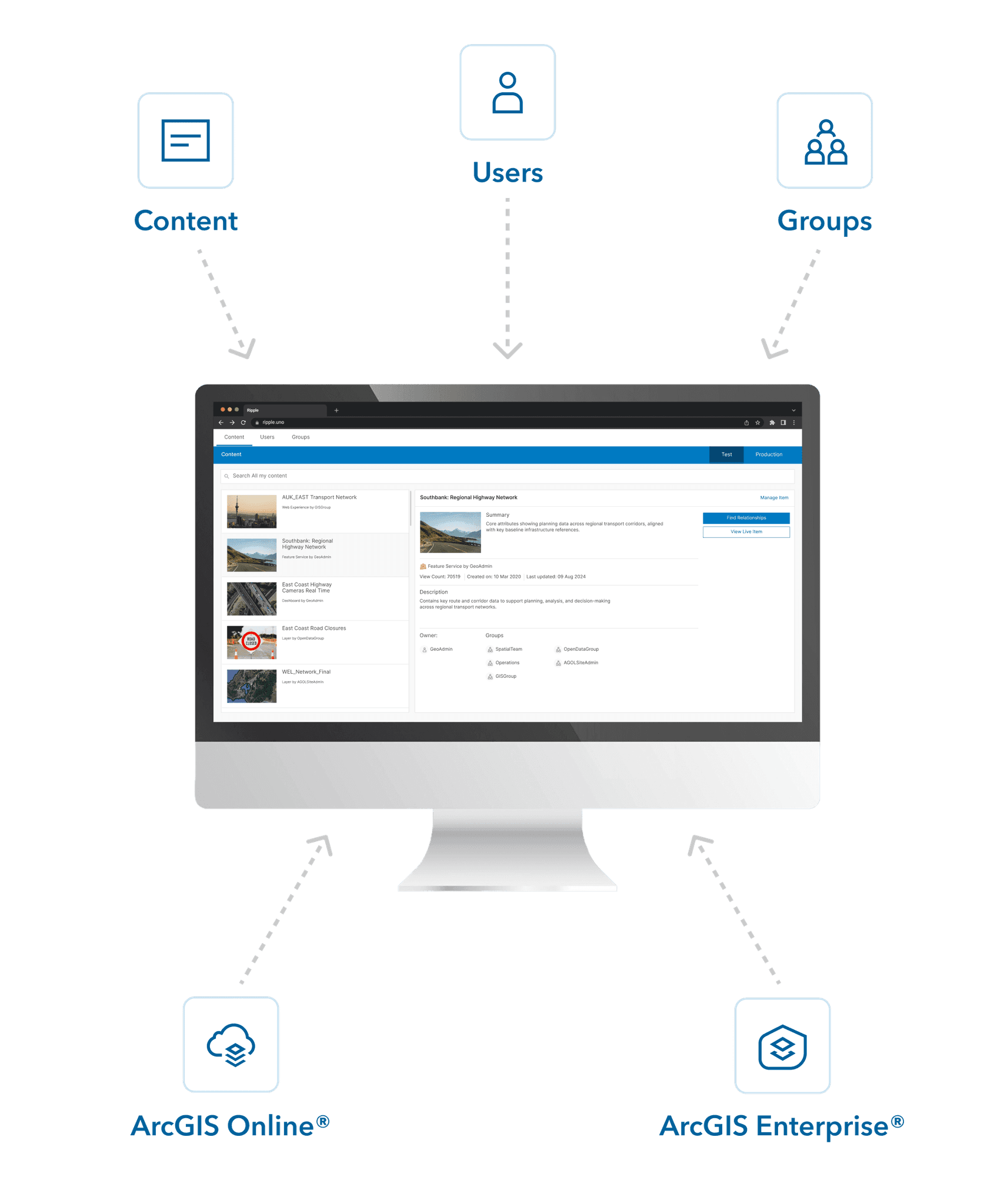
Ripple brings everything into one place, consolidating users, groups, and content into a central dashboard. With powerful search, filter, and sort tools applied consistently across environments, you can find what you need quickly and stay organised as your ArcGIS ecosystem grows. Even without admin-level permissions, you gain the oversight needed to manage with confidence.
Centralised Dashboard
All your content, one view
Remove friction and smooth workflows by eliminating the need to constantly switch between windows and systems to piece together information.
Ripple brings everything into one place, consolidating users, groups, and content into a central dashboard. With powerful search, filter, and sort tools applied consistently across environments, you can find what you need quickly and stay organised as your ArcGIS ecosystem grows. Even without admin-level permissions, you gain the oversight needed to manage with confidence.
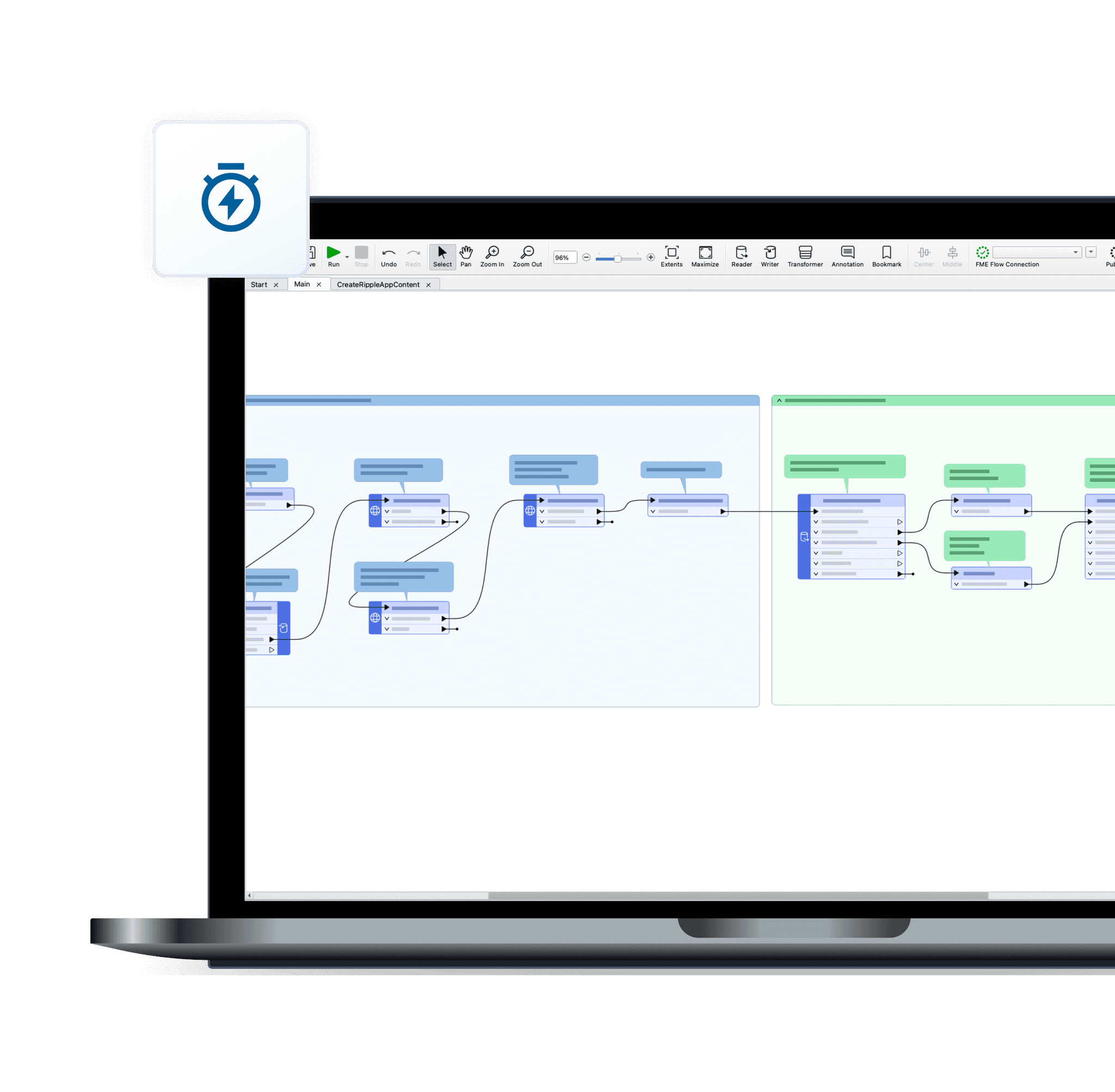
Automated Deployment
Deployed in under a minute
Skip the lengthy approval processes, hidden infrastructure costs, and complex setup that usually delay new tools.
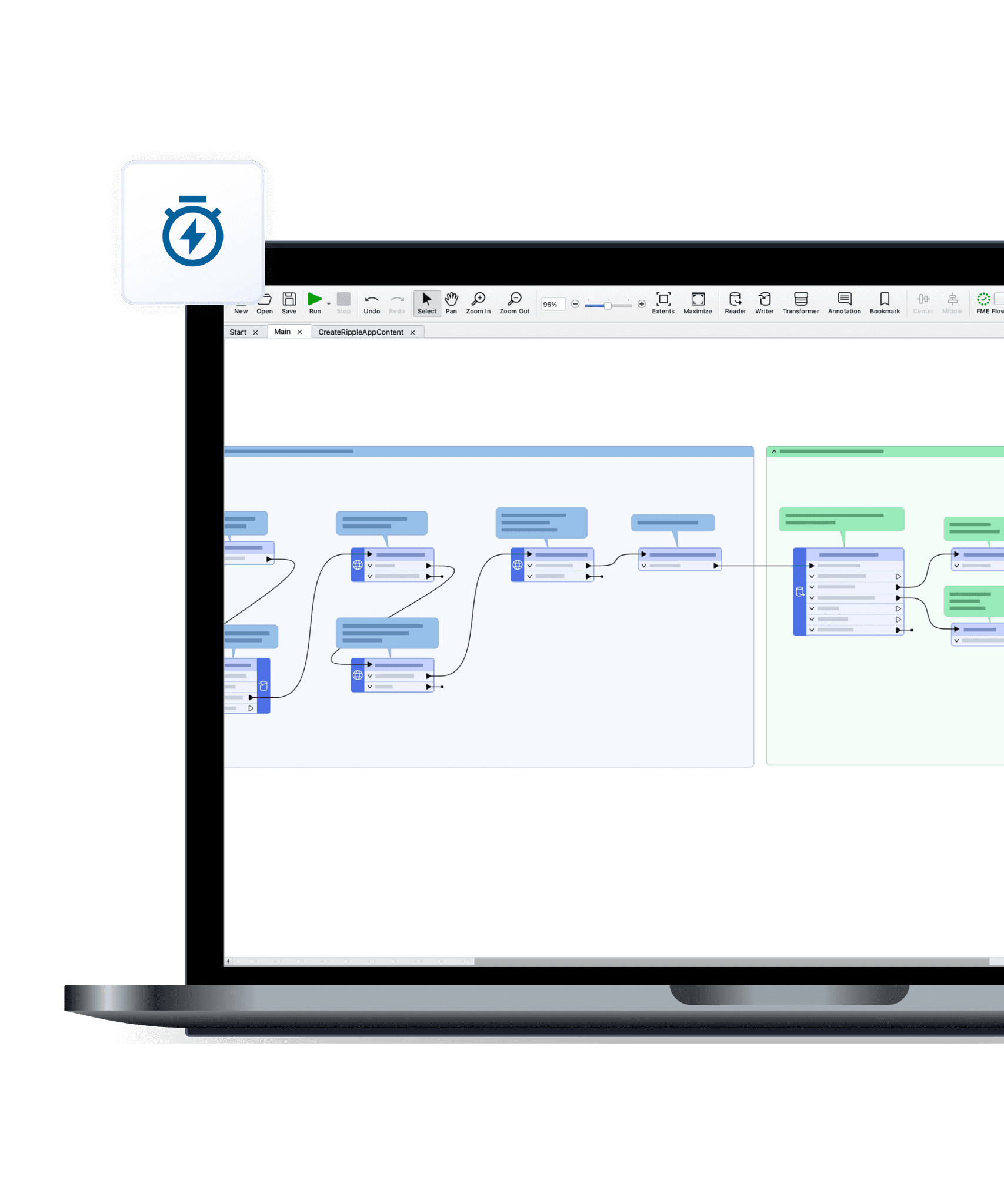
Ripple avoids all of that with a streamlined, automated deployment. It uses your existing ArcGIS and FME infrastructure, requires no extra servers or IT intervention, and configures itself with minimal input. From installation to first use, Ripple will be up and running in no time.
Automated Deployment
Deployed in under a minute
Skip the lengthy approval processes, hidden infrastructure costs, and complex setup that usually delay new tools.
Ripple avoids all of that with a streamlined, automated deployment. It uses your existing ArcGIS and FME infrastructure, requires no extra servers or IT intervention, and configures itself with minimal input. From installation to first use, Ripple will be up and running in no time.

How Ripple Helps
How Ripple Helps
How Ripple Helps
Making work lighter for the whole team
Making work lighter for the whole team
Making work lighter for the whole team
Built for both technical and non-technical users, Ripple makes ArcGIS easier for everyone.
Built for both technical and non-technical users, Ripple makes ArcGIS easier for everyone.
Built for both technical and non-technical users, Ripple makes ArcGIS easier for everyone.

Gain full visibility over multiple ArcGIS environments
Gain full visibility over multiple ArcGIS environments
Gain full visibility over multiple ArcGIS environments

Streamline help desk support with instant content discovery
Streamline help desk support with instant content discovery
Streamline help desk support with instant content discovery

Scope changes confidently with clear dependency mapping
Scope changes confidently with clear dependency mapping
Scope changes confidently with clear dependency mapping
Enable new or junior staff to work confidently without admin privileges
Enable new or junior staff to work confidently without admin privileges
Enable new or junior staff to work confidently without admin privileges

Monitor usage and engagement across an ArcGIS ecosystem
Monitor usage and engagement across an ArcGIS ecosystem
Monitor usage and engagement across an ArcGIS ecosystem
Make fast, informed decisions without technical input
Make fast, informed decisions without technical input
Make fast, informed decisions without technical input
Required Licences
Required Licences
Required Licences
Powered by the tools you already use
Powered by the tools you already use
Powered by the tools you already use
Ripple is powered by FME Flow and built on ArcGIS Online. Both licences are required for setup and use.
Ripple is powered by FME Flow and built on ArcGIS Online. Both licences are required for setup and use.

FME Flow
By Safe Software
FME Flow
By Safe Software

ArcGIS Online
By Esri
ArcGIS Online
By Esri
FME Flow
By Safe Software
ArcGIS Online
By Esri


Our Partners
Our Partners
Our Partners
Ripple is proud to be an official Partner of Safe Software.
Ripple is proud to be an official Partner of Safe Software.
Our technology leverages the power of FME and reflects Safe Software’s commitment to innovation - helping organisations stay adaptable, future-ready, and data-driven in an ever-evolving landscape.
At Ripple, we’re dedicated to delivering purposeful, innovative tools that uphold these shared values.
“Ripple understands the unique data challenges organisations face and helps transform complexity into clear solutions. Their focus on customer success makes them a natural partner for Safe Software.”
Andrea Eisma - Product Manager, Processing, Safe Software
Our technology leverages the power of FME and reflects Safe Software’s commitment to innovation - helping organisations stay adaptable, future-ready, and data-driven in an ever-evolving landscape.
At Ripple, we’re dedicated to delivering purposeful, innovative tools that uphold these shared values.
“Ripple understands the unique data challenges organisations face and helps transform complexity into clear solutions. Their focus on customer success makes them a natural partner for Safe Software.”
Andrea Eisma - Product Manager, Processing, Safe Software
Security
Security
Security
Your data stays with you
Your data stays with you
Ripple runs entirely within your existing infrastructure, using your own FME Flow and ArcGIS Online licences. All discovery and processing happen locally inside your systems.
Learn more on our Resources Page.
Ripple runs entirely within your existing infrastructure, using your own FME Flow and ArcGIS Online licences. All discovery and processing happen locally inside your systems.
Learn more on our Resources Page.

FAQ
The answers to your questions
Explore the most common topics customers ask about Ripple.
Does Ripple connect to anything outside my system?
The only external element is a small set of Ripple components that your browser loads - just like most modern web applications. No customer data is ever sent to us.
How do I log in?
You simply use your existing ArcGIS Online account. No new usernames or passwords are needed.
How many environments can Ripple handle?
Ripple currently supports up to 4 environments in a single dashboard. If you need more, get in touch and we can discuss the best way to support your setup.
Where is my data stored?
Ripple stores data on your own FME Flow instance, and in your ArcGIS Online account. This ensures that no data leaves your existing GIS ecosystem.
Does Ripple have any other dependencies I need to install?
No. Ripple is built entirely with in-built FME functionality - no external libraries, no custom add-ons.
How do I get support for Ripple?
Support is always available if you run into issues or have questions about Ripple. Whether it’s setup, troubleshooting, or ensuring smooth operation, help is at hand to keep Ripple working as intended in your environment. Head on over to our support page to lodge a query, Contact Us.
Are updates included?
Yes. Ripple will evolve and stay aligned with ArcGIS platform changes. Updates are released periodically and included in your licence. We’re also working on new tools to extend the Ripple toolkit over the next 6–18 months.
Can I suggest improvements?
Absolutely. Ripple was built to make life easier for our customers, and we’re always keen to hear suggestions. If you have an idea, we’d love to hear from you: Contact Us.
Still looking for an answer or have some more technical questions?
Check out our Resources Page.
FAQ
The answers to your questions
Explore the most common topics customers ask about Ripple.
Does Ripple connect to anything outside my system?
The only external element is a small set of Ripple components that your browser loads - just like most modern web applications. No customer data is ever sent to us.
How do I log in?
You simply use your existing ArcGIS Online account. No new usernames or passwords are needed.
How many environments can Ripple handle?
Ripple currently supports up to 4 environments in a single dashboard. If you need more, get in touch and we can discuss the best way to support your setup.
Where is my data stored?
Ripple stores data on your own FME Flow instance, and in your ArcGIS Online account. This ensures that no data leaves your existing GIS ecosystem.
Does Ripple have any other dependencies I need to install?
No. Ripple is built entirely with in-built FME functionality - no external libraries, no custom add-ons.
How do I get support for Ripple?
Support is always available if you run into issues or have questions about Ripple. Whether it’s setup, troubleshooting, or ensuring smooth operation, help is at hand to keep Ripple working as intended in your environment. Head on over to our support page to lodge a query, Contact Us.
Are updates included?
Yes. Ripple will evolve and stay aligned with ArcGIS platform changes. Updates are released periodically and included in your licence. We’re also working on new tools to extend the Ripple toolkit over the next 6–18 months.
Can I suggest improvements?
Absolutely. Ripple was built to make life easier for our customers, and we’re always keen to hear suggestions. If you have an idea, we’d love to hear from you: Contact Us.
Still looking for an answer or have some more technical questions?
Check out our Resources Page.
FAQ
The answers to your questions
Explore the most common topics customers ask about Ripple.
Does Ripple connect to anything outside my system?
The only external element is a small set of Ripple components that your browser loads - just like most modern web applications. No customer data is ever sent to us.
How do I log in?
You simply use your existing ArcGIS Online account. No new usernames or passwords are needed.
How many environments can Ripple handle?
Ripple currently supports up to 4 environments in a single dashboard. If you need more, get in touch and we can discuss the best way to support your setup.
Where is my data stored?
Ripple stores data on your own FME Flow instance, and in your ArcGIS Online account. This ensures that no data leaves your existing GIS ecosystem.
Does Ripple have any other dependencies I need to install?
No. Ripple is built entirely with in-built FME functionality - no external libraries, no custom add-ons.
How do I get support for Ripple?
Support is always available if you run into issues or have questions about Ripple. Whether it’s setup, troubleshooting, or ensuring smooth operation, help is at hand to keep Ripple working as intended in your environment. Head on over to our support page to lodge a query, Contact Us.
Are updates included?
Yes. Ripple will evolve and stay aligned with ArcGIS platform changes. Updates are released periodically and included in your licence. We’re also working on new tools to extend the Ripple toolkit over the next 6–18 months.
Can I suggest improvements?
Absolutely. Ripple was built to make life easier for our customers, and we’re always keen to hear suggestions. If you have an idea, we’d love to hear from you: Contact Us.
Still looking for an answer or have some more technical questions?
Check out our Resources Page.
Learn More
See Ripple in action
Experience Ripple in real time with a live walkthrough and see how it makes ArcGIS simpler, faster, and easier for your whole team.
Learn More
See Ripple in action
Experience Ripple in real time with a live walkthrough and see how it makes ArcGIS simpler, faster, and easier for your whole team.
Learn More
See Ripple in action
Experience Ripple in real time with a live walkthrough and see how it makes ArcGIS simpler, faster, and easier for your whole team.